
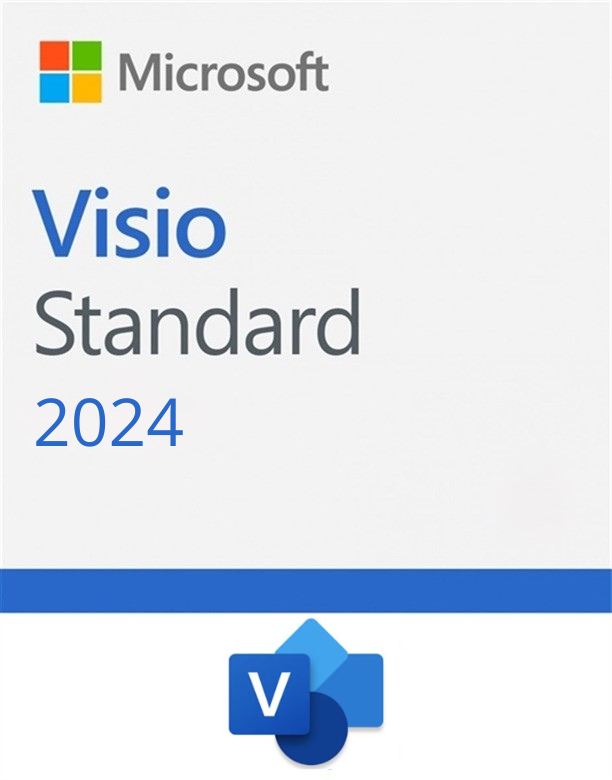
Microsoft Visio Standard 2024
249 £ VAT included

Click to Verify our Partnership
Platform: Windows
Language: Multilanguage
Key: Lifetime
Devices: 1
Version: Standard
The delivery of the product take places on the same day!
Microsoft Visio Standard 2024
Microsoft Visio Standard 2024 is a versatile diagramming tool designed to cater to the needs of professionals seeking to translate complex ideas into clear visual representations. This intuitive software is equipped with a range of features that simplify the creation of flowcharts, network diagrams, and organizational charts. With its user-friendly interface and robust library of templates, this version of Visio is ideal for both seasoned professionals and those new to diagramming.
Key Features
The 2024 edition of this application introduces several enhancements that improve productivity and ease of use. One standout feature is its expanded template library, which now includes more industry-specific templates, making it easier to start projects quickly. New collaboration tools allow multiple users to work on the same diagram simultaneously, fostering teamwork and reducing project timelines. Additionally, enhanced data integration capabilities mean users can link diagrams to real-time data sources such as Excel, providing dynamic visualizations that reflect the most current data sets.
Benefits
Utilizing Microsoft Visio Standard 2024 offers numerous advantages for businesses and individuals alike. The software’s ability to convey complex information visually aids in better communication and understanding across teams. Its integration with other Microsoft Office products ensures seamless workflow, and the improved collaboration features enhance team productivity. Furthermore, the program’s extensive customization options allow users to tailor diagrams precisely to their needs, ensuring professional-grade outputs every time.
Who Should Use This Software?
This tool is well-suited for a broad range of users, from corporate professionals in London to educators in British universities. It’s particularly beneficial for project managers, business analysts, and IT professionals who need to present data and processes in a clear and structured manner. The simplicity of the tool makes it accessible to beginners, while its advanced features satisfy the requirements of more experienced users.
Technical Specifications
To run Visio Standard 2024 efficiently, users will need a system with Windows 10 or later. The software requires at least 4 GB of RAM and a compatible processor. It supports integration with other Microsoft products, necessitating an up-to-date version of the Microsoft Office suite for full functionality. The program is available in both 32-bit and 64-bit versions to cater to different system architectures.
Why Choose KeyForrest.co.uk?
Purchasing Visio Standard 2024 from KeyForrest.co.uk guarantees genuine licenses, ensuring compliance and peace of mind. Customers benefit from instant digital delivery, allowing immediate use of the software upon purchase. Additionally, our dedicated customer support team is on hand to assist with any technical queries or installation issues, making the buying experience seamless and efficient.
Frequently Asked Questions
What is Microsoft Visio Standard 2024 and what does it do?
Microsoft Visio Standard 2024 is a diagramming and vector graphics application that enables users to create detailed diagrams, flowcharts, and organizational charts. It offers a wide array of templates and shapes, making it easier for users to convey complex information visually. This software is widely used by professionals to enhance communication and understanding within teams.
How much does Microsoft Visio Standard 2024 cost and what license options are available?
The cost of Microsoft Visio Standard 2024 varies depending on the licensing option chosen. Users can purchase a perpetual license, which involves a one-time payment, or opt for a subscription model that provides regular updates. Educational licenses are also available at a discounted rate for students and academic institutions.
What are the system requirements for Microsoft Visio Standard 2024?
To run this version of Visio, a system with Windows 10 or later is required. The application needs at least 4 GB of RAM and a compatible processor. It’s compatible with both 32-bit and 64-bit systems, and integration with other Microsoft Office products requires an up-to-date Office suite.
Is Microsoft Visio Standard 2024 suitable for beginners or professionals?
This software is designed to accommodate both beginners and professionals. Its intuitive interface and extensive template library make it easy for novices to start diagramming, while advanced features such as data integration and collaboration tools meet the needs of professional users.
How does Microsoft Visio Standard 2024 compare to similar software alternatives?
Visio Standard 2024 stands out due to its seamless integration with Microsoft Office products and its robust set of features tailored for professional use. Compared to alternatives, it offers superior collaboration tools and a more comprehensive template library, making it a preferred choice for many users.
What support and training resources are available for Microsoft Visio Standard 2024?
Users have access to extensive support and training resources, including official documentation, tutorials, and community forums. Microsoft offers online training courses and user guides to help users maximize the software’s potential. Customer support is also available for technical assistance.
Can Microsoft Visio Standard 2024 integrate with other software tools?
Yes, this application integrates seamlessly with other Microsoft products like Excel and Word, allowing easy data import and export. It also supports various file formats for compatibility with third-party applications, facilitating a smooth workflow for users.
What are the main benefits of using Microsoft Visio Standard 2024 for my business?
Using this program can significantly enhance business operations by improving communication and understanding through visual representation of data. It aids in streamlining processes, enhancing productivity, and ultimately delivering a strong return on investment through efficient project management and collaboration.
| Brand |
Microsoft |
|---|
Only logged in customers who have purchased this product may leave a review.
Software & Product key
We delivery your order(s) to your email within 24 hours after the payment.
We send the link of the software so you can download it, the key so you can activate it and the certificate so you can use legally the product.
Warranty & Certificate
Along with the certificate of the key that you own, we send you a warranty of the software you just bought just in any case you having any problem.

Reviews
There are no reviews yet.