

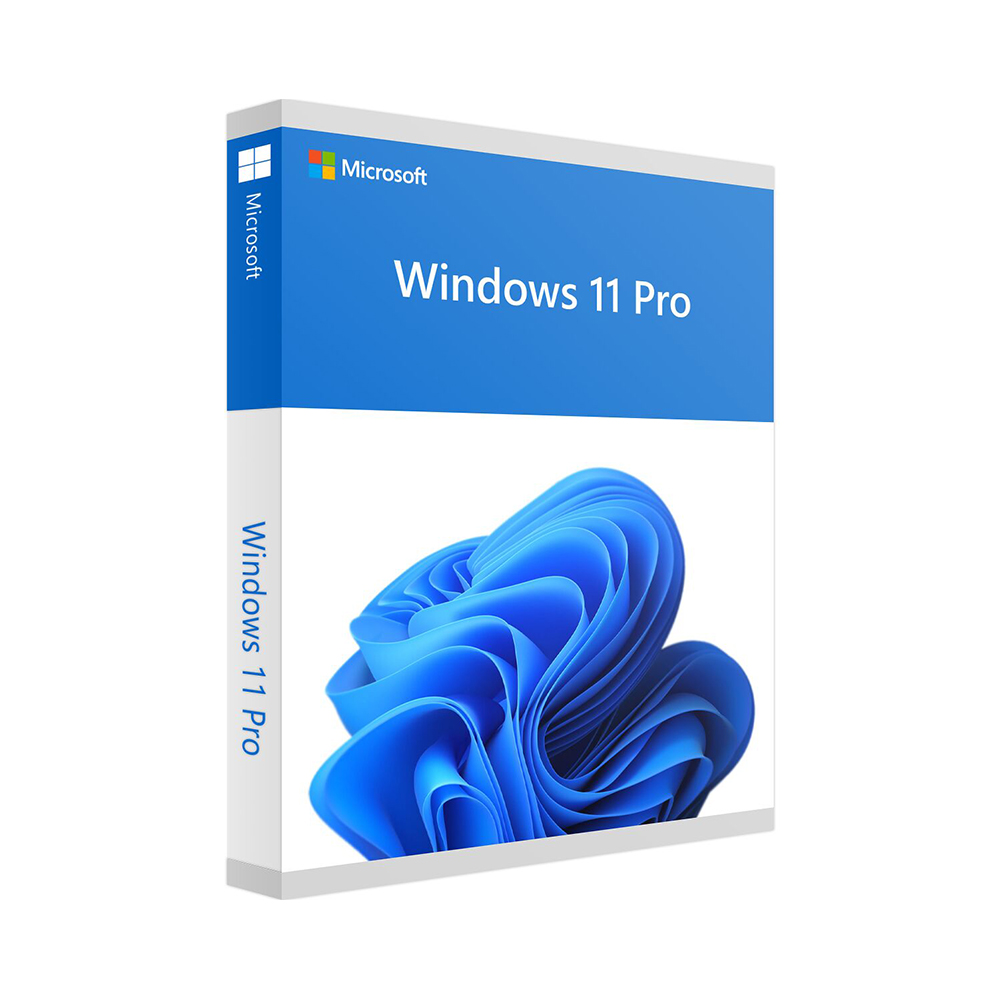
Windows 11 Pro
79 £
Click to Verify our Partnership
Platform: Windows
Language: Multilanguage
Key: Lifetime
Devices: 1
Version: Pro
The delivery of the product take places on the same day!
Windows 11 Pro is designed for people who need more than a basic operating system: professionals, remote workers, small businesses, and advanced home users who want stronger security, better control, and tools that support productive work. At £79, it provides the professional edition of Microsoft’s modern Windows platform, helping you create a more organised, secure, and flexible PC environment for daily tasks and demanding workloads alike.
The Pro edition addresses common challenges such as protecting sensitive files, managing work devices, and staying productive across different locations. Windows 11 Pro includes enhanced business-focused capabilities that go beyond the standard Home edition, giving you greater control over how your computer is used and secured. This is especially valuable if your PC contains client information, business documents, financial records, or important personal files that need more protection than a simple password alone.
Security is a central benefit of Windows 11 Pro. BitLocker device encryption helps protect data stored on your computer by encrypting the drive, reducing the risk that files can be accessed if the device is lost or stolen. Windows Hello supports quicker, more secure sign-in methods on compatible hardware, such as facial recognition or fingerprint authentication, so you can spend less time entering passwords while helping to protect access to your account. Microsoft Defender protections are also integrated into the Windows environment to help safeguard your system against modern security threats.
For flexible working, Windows 11 Pro includes Remote Desktop capabilities, allowing you to access your compatible Pro PC from another device when you are away from your desk. This can be useful for working from home, supporting a second office location, or accessing files and applications on your main computer while travelling. Features such as virtual desktops and Snap layouts help you arrange multiple apps and windows more efficiently, making it easier to separate work projects, personal tasks, meetings, and research without losing focus.
Windows 11 Pro also offers tools intended for professional device management. Support for joining a domain or Microsoft Entra ID allows compatible business environments to connect PCs to managed workplace networks. Group Policy and broader administrative controls give advanced users and IT teams more options for configuring devices, user access, updates, and security settings. For a small business, this means a more consistent setup across work computers; for an individual professional, it means more control over how the PC operates.
This Microsoft Windows 11 Pro product is priced at £79, with a regular price of £79. It is software rather than a physical product, so there are no product dimensions or hardware measurements to consider. Before installation, ensure that your computer meets Microsoft’s Windows 11 system requirements, including a compatible 64-bit processor, sufficient memory and storage, UEFI firmware with Secure Boot capability, TPM version 2.0, and a compatible graphics solution. Certain features, including Windows Hello, may require additional compatible hardware.
Whether you are building a professional workstation, upgrading a home office PC, managing a small business computer, or simply wanting the added protection and control of the Pro edition, Windows 11 Pro is a practical choice. Backed by Microsoft and built around modern productivity, security, and management features, it gives your compatible PC a capable operating system prepared for both today’s work and tomorrow’s requirements.
| Brand |
Microsoft |
|---|
560 reviews for Windows 11 Pro
Only logged in customers who have purchased this product may leave a review.
Συχνές Ερωτήσεις
Is Windows 11 Pro suitable for business use?
Yes, Windows 11 Pro is designed for professionals, small businesses, and larger organisations. It includes productivity, security, and device management features suited to modern work environments.
What are the main productivity features in Windows 11 Pro?
Windows 11 Pro includes a redesigned Start Menu, improved taskbar, enhanced virtual desktops, snap layouts, and snap groups. These features help users organise tasks and work more efficiently.
Does Windows 11 Pro include security features for protecting business data?
Yes, Windows 11 Pro includes security features such as BitLocker encryption and Windows Defender Antivirus. These tools help protect sensitive files and reduce security risks.
Can Windows 11 Pro support remote working?
Yes, Windows 11 Pro is well suited to hybrid and remote work environments. It includes remote desktop access and collaboration-focused features to help users work from different locations.
Is Windows 11 Pro useful for managing workplace devices?
Yes, Windows 11 Pro supports Azure Active Directory, which helps with user authentication and device management. This makes it useful for businesses that need more control over their IT environment.
Does Windows 11 Pro offer features for multitasking?
Yes, Windows 11 Pro includes snap layouts, snap groups, and enhanced virtual desktops. These features make it easier to organise multiple apps and workspaces.
Is Windows 11 Pro a good option for users who also game?
Yes, Windows 11 Pro supports gaming-focused features such as DirectStorage and Auto HDR. These features are designed to help provide a more immersive gaming experience where supported.
ollie (verified owner) –
The Windows 11 Pro key arrived straight away and activated without any hassle. BitLocker and Remote Desktop are working well, and it feels worth the £79 for my work PC.
Jodie M. (verified owner) –
The Windows 11 Pro licence key arrived quickly and activated without any problems.
PixelPete (verified owner) –
Activation was straightforward and Windows 11 Pro installed without any issues.
fiona m (verified owner) –
The Windows 11 Pro licence was delivered by email shortly after purchase and activated without any issues. I installed it on a compatible desktop and used BitLocker to encrypt the main drive. The process was straightforward and the product matched the description.
tom b (verified owner) –
Key arrived quickly and activation was straightforward; BitLocker and Remote Desktop are working well.
geekyGraham (verified owner) –
bitlocker was easy to set up and Remote Desktop works brill, no isse so far
Oliver Bennett (verified owner) –
key arrived quick and activated fine, no problms.
Nathan Brooks (verified owner) –
Activation was straightforward and BitLocker is a useful extra for my work laptop.
pubquizpaul (verified owner) –
The Windows 11 Pro licence arrived by email shortly after ordering, and activation was straightforward using the instructions provided. BitLocker and Remote Desktop are particularly useful for my work setup, and the upgrade has been running smoothly on my PC.
Kerry McBride (verified owner) –
The key came through straight away and activation was simple with no fuss. Windows 11 Pro installed cleanly and BitLocker was easy to set up.
desktop_dan (verified owner) –
The Windows 11 Pro licence activated without any problems after I entered the key under Settings > System > Activation, and the installation process was straightforward on my compatible PC. I mainly bought it for BitLocker and Remote Desktop, and both were easy to configure, while Snap layouts and virtual desktops have made switching between client work and personal tasks much tidier. A solid upgrade from Home for £79, especially if you need the extra security and administrative controls.
OfficeOwl92 (verified owner) –
I bought Windows 11 Pro mainly for BitLocker and Remote Desktop, as I use the same PC for freelance work and wanted better protection for client files. The licence details were delivered quickly by email and activation was straightforward through the normal Windows settings. I did check the system requirements first, which is worth doing before purchasing, but everything worked without any problems on my compatible desktop. BitLocker was easy to set up, and I have also found the Snap layouts and virtual desktops useful for keeping work, email and personal tasks separate. Remote Desktop has been reliable when I have needed to connect to the office PC from home. It is a good upgrade from Home for anyone who needs the extra security and administrative features rather than just the basic Windows experience, and at £79 I am pleased with the purchase.
ScottyR (verified owner) –
The Windows 11 Pro key activated successfully through Settings > System > Activation after I completed the upgrade from Windows 11 Home. I enabled BitLocker for my work drive and tested Remote Desktop from my laptop, both of which worked without any complicated setup. The £79 price is reasonable for the extra security and administrative features, so I’m very happy with the purchase.
david p (verified owner) –
Bought Windows 11 Pro for my home office PC and the upgrade went smoothly. Activation was straightforward, and I particularly like having BitLocker and Remote Desktop available for protecting and accessing my work files. At £79, it feels like a worthwhile upgrade from the Home edition.
Sophie Bennett (verified owner) –
Activation was straightforward and the Pro features appeared straight away. BitLocker is the main reason I bought it, and it works well on my work laptop.
Wendy Cartwright (verified owner) –
The Windows 11 Pro licence was delivered by email shortly after purchase, and activation worked without any problems. I mainly wanted BitLocker and Remote Desktop for my home office setup, and both have been straightforward to configure. A good upgrade for the £79 price.
Ben (verified owner) –
The Windows 11 Pro licence arrived by email quickly and activation was straightforward. I mainly wanted BitLocker and Remote Desktop for my home office setup, and both are working well. Good value at £79.
Vaughan (verified owner) –
The Windows 11 Pro licence was delivered by email shortly after payment, with clear instructions for redeeming it through the standard Windows activation settings. I was upgrading an existing installation rather than replacing the whole system, and the change to Pro completed without any issues or loss of files. The licence activated successfully on the first attempt and Windows showed the system as genuine afterwards.
I mainly bought Pro for BitLocker and Remote Desktop. BitLocker was straightforward to configure on my compatible laptop, and I have also used Remote Desktop to access the machine from another device on my home network. The interface is otherwise the same familiar Windows 11 environment, so there was not much of a learning curve. At £79, it was a reasonable price for the additional security and administration features I needed.
cameron (verified owner) –
Activation was straightforward, and BitLocker gives me extra peace of mind for my work files.
Lewis Carter (verified owner) –
The Windows 11 Pro licence was delivered by email shortly after ordering, and activation went through without any problems. I mainly wanted BitLocker and Remote Desktop, and both have been straightforward to set up on my work PC. Good value at £79.
orbit_ollie (verified owner) –
Activation was straightforward and Remote Desktop works nicely for my home office.
Peter J. (verified owner) –
I bought Windows 11 Pro for a home office PC that I also use for freelance work. The licence details were delivered quickly and activation was straightforward through the normal Windows settings, with no physical media or complicated installation process. I checked the system requirements beforehand and the upgrade completed without affecting my existing files or applications.
The main reason I chose the Pro edition was BitLocker, as I keep client documents and invoices on this machine. It was easy to set up once Windows was activated, and I also use Remote Desktop occasionally to access the office PC from my laptop. Snap layouts and virtual desktops have made it easier to keep work and personal tasks separate. At £79, it seemed reasonable for the extra security and administration features, and everything has been stable so far.
Hannah Clarke (verified owner) –
Activation was straightforward, and BitLocker is useful, although the initial setup took longer than expected.
Martin Shaw (verified owner) –
bought Windows 11 Pro for my home office PC after upgrading the hardware, and the installation was much smoother than expected. The licence key arrived quickly by email and activated without any trouble, which was a relief as I had a previous version of Windows that was being a bit temperamental. It took a little while to get used to the new layout, but the Snap layouts and virtual desktops are genuinely useful when I have spreadsheets, emails and remote meetings open at the same time. Everything feels clean and responsive, and my existing files and programs were kept intact.
I mainly wanted the Pro version for BitLocker and Remote Desktop, as I sometimes need to access the computer when working away from home. BitLocker was straightforward to set up and gives me more peace of mind about client files being stored on the machine. Windows Hello also works well with my fingerprint reader and is much quicker than typing a password every time. The £79 price seemed fair for the extra control and security, and I’m very happy with the purchase overall. A couple of settings were not where I expected them to be, but nothing serious and I had it all sorted in an afternoon. definately a five star upgrade for my setup.
Megan T. (verified owner) –
Activation was straightforward and BitLocker is handy for my work laptop.
Gabriel Greenwood (verified owner) –
The Windows 11 Pro licence key was delivered by email within a few minutes and activated without any issues. Installation was straightforward, and I particularly wanted Pro for BitLocker and Remote Desktop. Everything has been running reliably so far.
Mark T. (verified owner) –
Activation was straightforward and Windows 11 Pro installed without any issues. A little pricier than Home, but the extra security features are useful.
Ian Fletcher (verified owner) –
Activation was straightforward, and BitLocker plus Remote Desktop make the Pro upgrade worthwhile.
Gareth (verified owner) –
The activation instructions were clear and Windows 11 Pro installed without any issues.
Vincent (verified owner) –
The Windows 11 Pro key arrived by email within a few minutes and activated successfully through Settings > System > Activation without any issues. I mainly wanted BitLocker and Remote Desktop, and both were straightforward to configure after installation. The upgrade was smooth on my compatible desktop, and £79 seems reasonable for the additional security and management features.
Thomas Reed (verified owner) –
The Windows 11 Pro licence key was delivered by email shortly after payment and activated without any issues. Installation completed normally on my compatible PC, and BitLocker and Remote Desktop are useful additions compared with the Home edition. The £79 price was reasonable for the Pro features I needed.
FrostyByte (verified owner) –
Activation was quick and straightforward, and the licence worked first time. BitLocker and Remote Desktop are exactly why I wanted the Pro version.
Toby (verified owner) –
activated fine, quick delivary and windows 11 pro runs smooth.
William (verified owner) –
Activation was straightforward and Windows 11 Pro installed without any issues.
Molly (verified owner) –
Activation was straightforward and BitLocker is handy for keeping my work files protected. Remote Desktop has also been useful when I need to access my PC from home.
JunoByte (verified owner) –
Activation was straightforward: I entered the licence key during setup, signed in with my Microsoft account, and Windows 11 Pro was enabled without needing to contact support. I mainly bought it for BitLocker and Remote Desktop, and both were easy to configure through Settings and the system properties panel. The £79 price is reasonable for the extra security and administrative controls compared with the Home edition.
lewis (verified owner) –
Activation was straightforward and the licence worked immediately.
Nathan Brooks (verified owner) –
The licence key arrived quickly and activated Windows 11 Pro without any issues.
Adam R. (verified owner) –
activaton was quik and windows 11 pro runs great, fast delivery too.
TechTinker (verified owner) –
Activation was straightforward and Windows 11 Pro was running on my PC within minutes. BitLocker and Remote Desktop are exactly what I needed for working from home.
Liam R. (verified owner) –
BitLocker and Remote Desktop work exactly as I needed, and setup was straightforward.
Natalie (verified owner) –
The Windows 11 Pro licence key was delivered by email shortly after payment and activated without any problems. I installed it on a compatible PC and used BitLocker and Remote Desktop, which are useful additions compared with the Home edition. The process was straightforward and the price was reasonable.
Marcus Ellison (verified owner) –
Installed without any trouble and activation was straightforward. BitLocker and Remote Desktop are the main reasons I went for Pro, and both have worked well so far.
Andrew (verified owner) –
Activation was straightforward and Remote Desktop works well, but the download instructions could be clearer.
Ben C. (verified owner) –
Activation was straightforward and Windows 11 Pro was ready to use within minutes.
alfiebuilds (verified owner) –
Activation was straightforward and Windows 11 Pro installed without any drama. BitLocker and Remote Desktop are exactly what I needed for working from home.
Wendy Harper (verified owner) –
The Windows 11 Pro licence arrived by email within a few minutes, and activation worked through Settings > System > Activation without any issues. I upgraded from Home mainly for BitLocker and Remote Desktop, and both were straightforward to configure after checking the PC met the hardware requirements. The £79 price was reasonable for the extra security and admin features.
Violet (verified owner) –
The Windows 11 Pro licence arrived by email almost immediately and activation was straightforward using the instructions provided. I mainly wanted BitLocker and Remote Desktop, and both have been useful on my work PC. Everything is running smoothly so far.
Naomi Hughes (verified owner) –
The Windows 11 Pro key arrived almost immediately and activated without any hassle. BitLocker and Remote Desktop were the main reasons I chose Pro, and both are working as expected.
William Hughes (verified owner) –
The activation key arrived by email within a few minutes and upgraded my existing Windows 11 installation without needing to reinstall anything. I used Settings > System > Activation, entered the key, and the licence was recognised straight away as Windows 11 Pro. BitLocker and Remote Desktop are useful additions for my work PC, so the £79 price feels reasonable.