

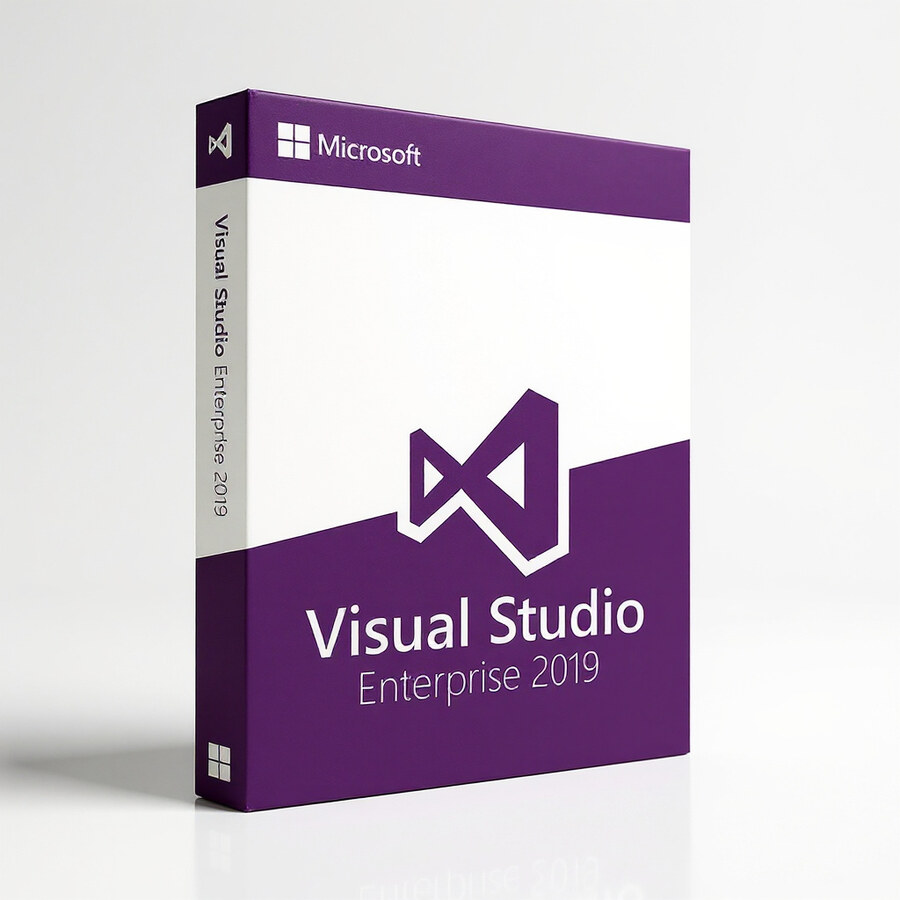
Visual Studio Enterprise 2019
399 £

Click to Verify our Partnership
Platform: Windows & macOS
Language: Multilanguage
Key: Lifetime
Users: 1
Version: Enterprise
The delivery of the product take places on the same day!
Reduce the friction between writing code, testing changes, and maintaining complex applications. Microsoft Visual Studio Enterprise 2019 provides an enterprise-focused integrated development environment for teams building, debugging, validating, and evolving software from a single Microsoft development workspace. It is designed for .NET development and broader application engineering work, helping developers spend less time switching between disconnected tools and more time resolving defects, reviewing code impact, and delivering controlled releases.
Visual Studio Enterprise 2019 supports the development workflows expected in professional software teams. Its IDE environment brings code editing, debugging, testing, and architecture-focused analysis into one platform, so development activity remains connected to the application lifecycle. That matters when projects grow beyond a few files: developers can investigate issues in context, trace behavior through the codebase, and make changes with stronger technical visibility. The Enterprise edition is particularly suited to organisations where code quality, maintainability, and reliable testing are operational requirements rather than optional steps.
Built for .NET development. The included .NET Development focus makes this product relevant for teams creating modern Microsoft-based applications and services. Rather than relying on a basic text editor and separate command-line utilities, developers work inside a dedicated IDE Software environment built around project structure, source code navigation, build workflows, and debugging tasks. This integrated approach reduces setup complexity and gives teams a consistent development environment for working on established .NET solutions.
- Enterprise 2019 development environment: supports structured software engineering workflows, helping teams move from code changes to validation with fewer disconnected tools.
- Development Tools category: provides a dedicated workspace for professional coding, debugging, testing, and maintenance tasks instead of a general-purpose editor.
- .NET Development focus: aligns the environment with Microsoft application development, helping developers work efficiently within .NET-based project ecosystems.
- Microsoft brand platform: delivers a recognised developer toolset from the company behind the Microsoft software stack, which helps maintain consistency across Microsoft-oriented development operations.
- Mac OS and Windows compatibility listed: supports use in development environments operating across these two major desktop platforms, giving organisations flexibility when planning compatible developer workstations.
Enterprise development depends on finding problems before they reach users. Visual Studio Enterprise 2019 is positioned for that level of control, with advanced debugging, testing, code analysis, and application diagnostics capabilities associated with the Enterprise toolset. These capabilities help technical teams isolate defects, understand the consequences of code changes, and support more disciplined quality assurance. For projects with multiple contributors, this reduces the risk of treating every bug fix as an isolated change with unknown effects elsewhere in the application.
Compatibility is a practical advantage. The product data lists operation on Mac OS and Windows, making this a relevant choice for organisations managing mixed developer environments. Compatibility should always be confirmed against the intended workstation configuration, project requirements, and Microsoft licensing or installation guidance before deployment. As a software product, Visual Studio Enterprise 2019 has no physical materials, chassis, or product dimensions to accommodate. The important practical considerations are operating-system compatibility, available workstation resources, project technology requirements, and the team’s chosen development workflow.
Use Visual Studio Enterprise 2019 for maintaining established .NET applications, developing business software, investigating production defects, validating changes before release, and supporting larger codebases that require formal engineering discipline. It also fits teams standardising their development tooling around Microsoft technologies and requiring more than basic code editing. The specific product identity is Microsoft Visual Studio Enterprise 2019, SKU 262618422752, in the MS Developer category. It delivers a defined enterprise IDE environment for teams that need development, diagnostics, and quality-focused tooling in one professional platform.
Choose a development environment built for controlled software delivery. Visual Studio Enterprise 2019 combines Microsoft’s developer ecosystem with Enterprise-level workflow support, .NET development relevance, and listed Mac OS and Windows operation. The result is a practical foundation for teams that need to write, examine, test, and maintain application code with greater confidence and clearer technical oversight.
| Operation |
MacOS ,Windows |
|---|---|
| Brand |
Microsoft |
1 review for Visual Studio Enterprise 2019
Only logged in customers who have purchased this product may leave a review.
Συχνές Ερωτήσεις
What is Visual Studio Enterprise 2019 used for?
Visual Studio Enterprise 2019 is an integrated development environment designed for building, debugging, and managing software projects. It supports professional development workflows for individual developers and larger teams.
Which programming languages does Visual Studio Enterprise 2019 support?
Visual Studio Enterprise 2019 supports multiple programming languages, including C#, C++, Python, and JavaScript. This makes it suitable for developers working across different types of projects.
Does Visual Studio Enterprise 2019 include code completion features?
Yes, Visual Studio Enterprise 2019 includes IntelliSense, which helps predict and suggest code as you type. This can speed up development and reduce common coding errors.
Is Visual Studio Enterprise 2019 suitable for team development?
Yes, Visual Studio Enterprise 2019 includes collaboration tools that help teams share code and track progress. It is designed to support both individual productivity and coordinated team workflows.
How does Visual Studio Enterprise 2019 help with debugging?
Visual Studio Enterprise 2019 provides enhanced debugging tools that help developers identify and fix issues efficiently. These tools can improve code quality and help applications run more smoothly.
Can Visual Studio Enterprise 2019 improve developer productivity?
Yes, its streamlined interface, IntelliSense, debugging tools, and broad language support are designed to reduce development time. These features help developers work more efficiently throughout the coding process.
Is Visual Studio Enterprise 2019 intended for professional developers?
Yes, Visual Studio Enterprise 2019 is built for professional software development needs. Its advanced feature set is well suited for complex projects and demanding development workflows.


Daniel R. (verified owner) –
Bought Visual Studio Enterprise 2019 for an older .NET project and the download and activation were straightforward on Windows. It picked up the existing solution without any fuss, and the debugging, code analysis and testing tools are much more useful than the basic edition I was using before. The licence details arrived quickly and everything worked first time, so I’m very happy with it.