

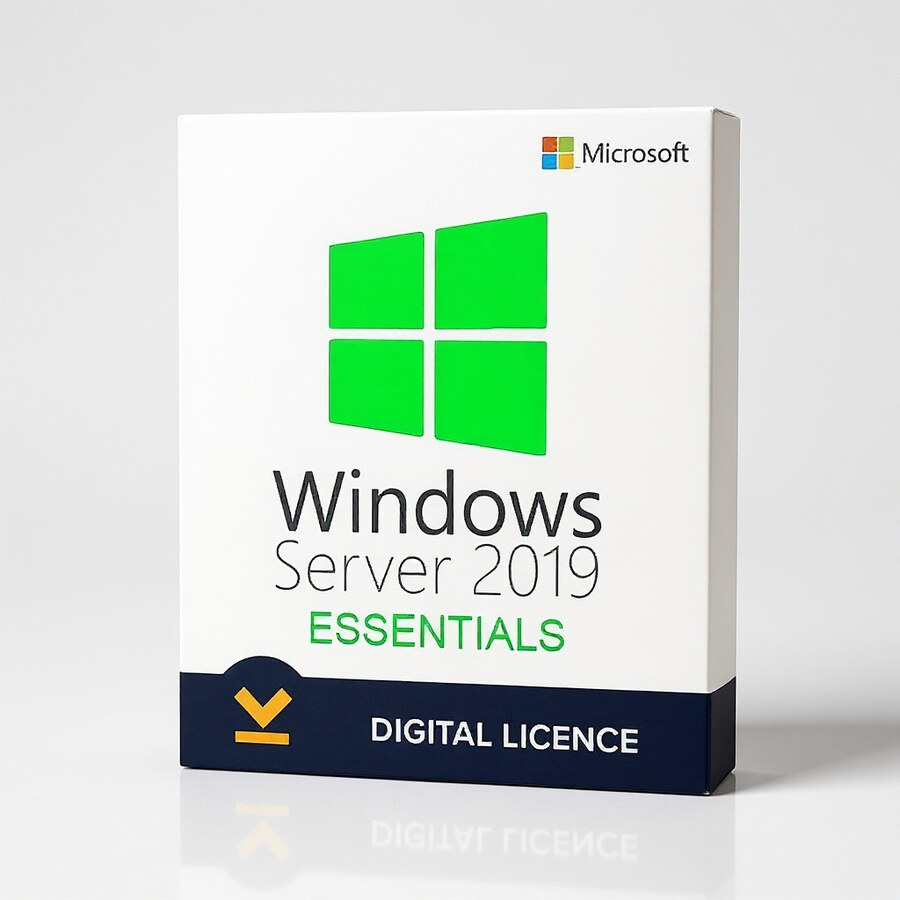
Windows Server Essentials 2019
129 £

Click to Verify our Partnership
Platform: Windows
Language: Multilanguage
Cores: Unlimited
Users: 25
Devices: 50
CPU: UP to 4
Key: Lifetime
Version: Essentials
The delivery of the product take places on the same day!
Centralize essential business IT without the overhead of a complex enterprise server deployment. Windows Server Essentials 2019 gives small organizations a Microsoft server operating system built around core infrastructure tasks: managing users, devices, shared resources, and business data from a single server environment. It creates a more controlled alternative to storing critical files across individual PCs, disconnected external drives, or consumer cloud accounts.
Built on the Windows Server 2019 platform, the Essentials Edition provides a familiar Microsoft foundation for businesses already using Windows-based desktops, applications, and administrative workflows. This matters because staff can work within an environment designed for Microsoft server operations instead of introducing an unrelated platform that requires new processes and specialist skills. The Essentials Edition focus keeps the deployment aligned with smaller business requirements, where clear administration and dependable access to shared resources are priorities.
Put business files and services under one administrative roof. A dedicated server operating system helps establish a central point for the resources employees rely on every day. Rather than leaving documents, folders, and business workloads distributed between separate workstation accounts, an organization can structure access through a managed server environment. This supports cleaner operational control, reduces uncertainty over where current files are stored, and gives IT administrators a defined platform for maintaining core services.
- Microsoft Windows Server 2019 foundation: Uses the Windows Server 2019 generation, giving businesses a current-era Microsoft server platform for structured infrastructure deployments.
- Essentials Edition positioning: Designed for small-business server environments, helping organizations avoid selecting a broader edition intended for more complex enterprise deployment models.
- Centralized administration: Supports the consolidation of server-based management tasks, so user access, shared resources, and business services can be handled from a defined infrastructure layer.
- Windows-focused environment: Fits organizations operating Windows desktop estates and Microsoft-oriented business applications, reducing friction when introducing a dedicated server operating system.
- Server OS category: Provides an operating-system layer for server hardware or compatible virtualized infrastructure, rather than functioning as a desktop productivity application.
Windows Server Essentials 2019 is software, so it has no physical material, chassis dimensions, or hardware footprint of its own. Its practical footprint is determined by the server hardware or virtual machine selected for deployment. Confirm that the chosen host hardware, processor architecture, storage capacity, memory allocation, network configuration, and any required business applications meet Microsoft Windows Server 2019 requirements before installation. This verification is important because server performance, availability, and workload capacity depend on the infrastructure supporting the operating system, not on the software package alone.
For a small office, this platform can serve as the operational base for organized file access and controlled internal resources. For an expanding company, it can formalize IT practices that have outgrown peer-to-peer sharing between PCs. For an organization replacing an older Microsoft server, it offers a defined Windows Server 2019 Essentials route for updating its core server operating environment. The value is practical: employees gain a more consistent way to reach approved shared resources, while administrators gain a clearer place to manage the underlying server role.
Choose Windows Server Essentials 2019 when your business needs a dedicated Microsoft server platform with a small-business focus. It is a purposeful operating-system choice for organizations that need centralization, administrative structure, and a Windows Server 2019 foundation without positioning their infrastructure around a larger enterprise edition. SKU 161446453496 identifies this Microsoft Essentials Edition product for accurate procurement and inventory control.
| Brand |
Microsoft |
|---|
5 reviews for Windows Server Essentials 2019
Only logged in customers who have purchased this product may leave a review.
Συχνές Ερωτήσεις
Is Windows Server Essentials 2019 suitable for a small business?
Yes, Windows Server Essentials 2019 is designed for small to medium-sized businesses that need a straightforward, manageable server environment. It helps simplify IT infrastructure so businesses can focus more on daily operations and growth.
What are the main benefits of Windows Server Essentials 2019?
Windows Server Essentials 2019 offers efficient server management, enhanced security features, and easier setup and configuration. It is intended to reduce complexity for organisations that do not want to manage a highly complex server environment.
Does Windows Server Essentials 2019 support cloud integration?
Yes, it facilitates connectivity with cloud-based applications, making it easier to integrate cloud solutions with on-premises infrastructure. This can help businesses create a more flexible and modern IT setup.
Can Windows Server Essentials 2019 help protect business data?
Yes, it includes enhanced security features such as improved data privacy and advanced threat protection. It also supports integration with Azure Site Recovery Services to help with data redundancy and protection.
Is Windows Server Essentials 2019 easy to set up?
Windows Server Essentials 2019 is designed with a user-friendly interface that supports easier setup and configuration. This makes it more accessible for businesses with limited IT resources.
Does Windows Server Essentials 2019 support virtualisation needs?
Yes, Windows Server Essentials 2019 supports modern hardware and offers improved performance for virtualisation. This can be useful for businesses looking to run a more efficient server environment.
Who should consider buying Windows Server Essentials 2019?
It is a good choice for organisations that need a flexible, manageable, and efficient server solution without unnecessary complexity. It is especially suited to businesses looking to streamline operations and improve productivity.
MidlandsAdmin (verified owner) –
Windows Server Essentials 2019 was straightforward to install and activate on our small business server. It gives us a much tidier way to manage user accounts and shared folders instead of keeping important files scattered across individual PCs. A very good fit for our existing Windows setup and excellent value for a small organisation.
Bradley Hughes (verified owner) –
Installation on our small office server was fairly straightforward and it works well for centralising shared files and user accounts. The setup screens are a bit dated, but once configured it has been reliable.
Jack Morrison (verified owner) –
Key was delivered really quickly and activation on our small office server was straightforward. Windows server essentials 2019 gives us a much cleaner place for shared files and user access, instead of everyone keeping things on random PCs. very happy with the price and setup, no problems so far.
William Turner (verified owner) –
Straightforward activation and a good fit for our small Windows-based office.
MickByte77 (verified owner) –
Installed Windows Server Essentials 2019 in a Hyper-V VM and the setup was pretty straight forward, with no licence issues during activation. I created the user accounts and shared folders, then joined the office PCs to the domain so permissions are managed from one place instead of on each machine. The admin tools took a little getting used to but its been stable and access to the shared files is much cleaner now.